£33
It knows your role, your priorities, your people and how you work. One Chief of Staff Brief. Eleven working functions. Built for ChatGPT or Claude.
Most people are using the most capable tool they have ever paid for as a slightly better search box. Not because it is generic. Because it does not know them.
Open ChatGPT or Claude and it meets you for the first time, every time. No idea who your boss is, which meeting actually decides things, or that the reply you are waiting on is already a week late.
So you explain, every time. It still helps. But with no context, it can never help you as much as it could.
That is not a limitation of the tools. It is a context problem, and it is the only thing standing between what you have now and something that takes real work off you.
AI Chief of Staff fixes the context problem.
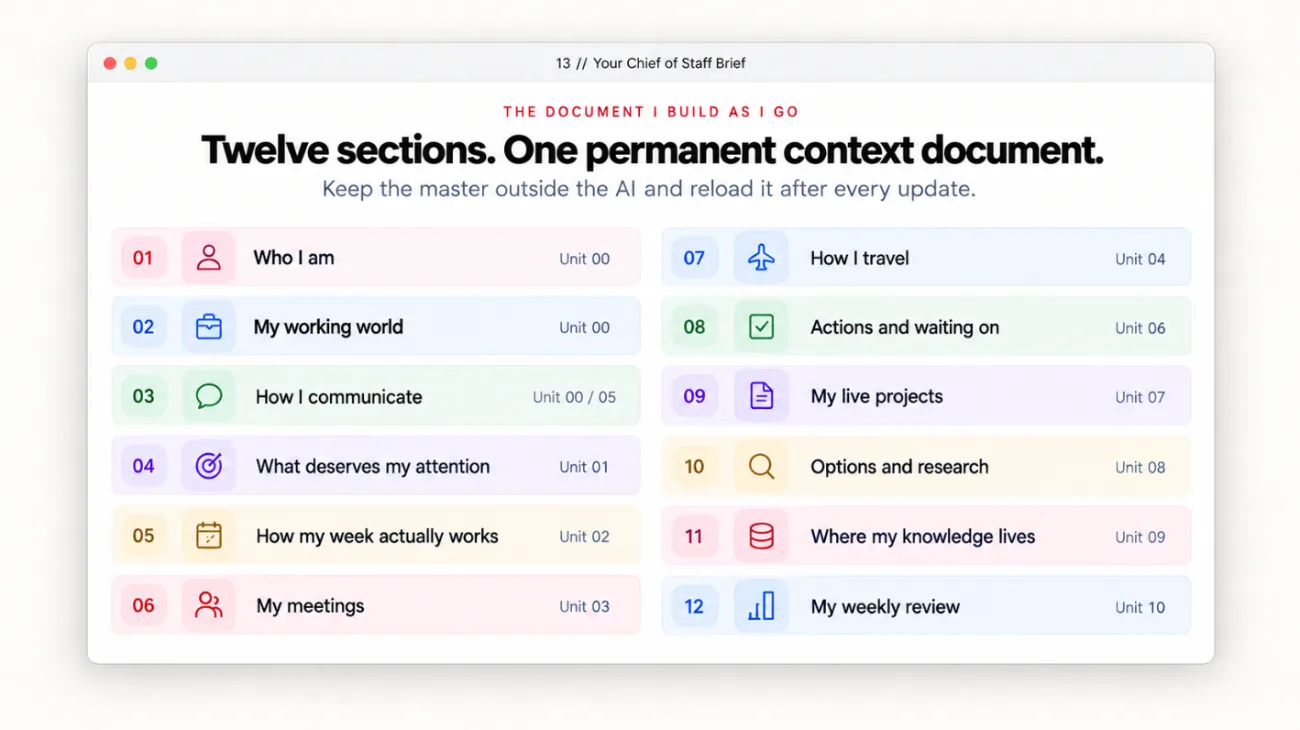
Together, you and the AI build one document: your Chief of Staff Brief. Twelve sections that teach it who your boss is, which meetings matter, how you write, what you are waiting on and what you always let slide. Set-up takes about thirty minutes. The AI interviews you and you do most of it by talking, though typing works too. Answer honestly rather than impressively.
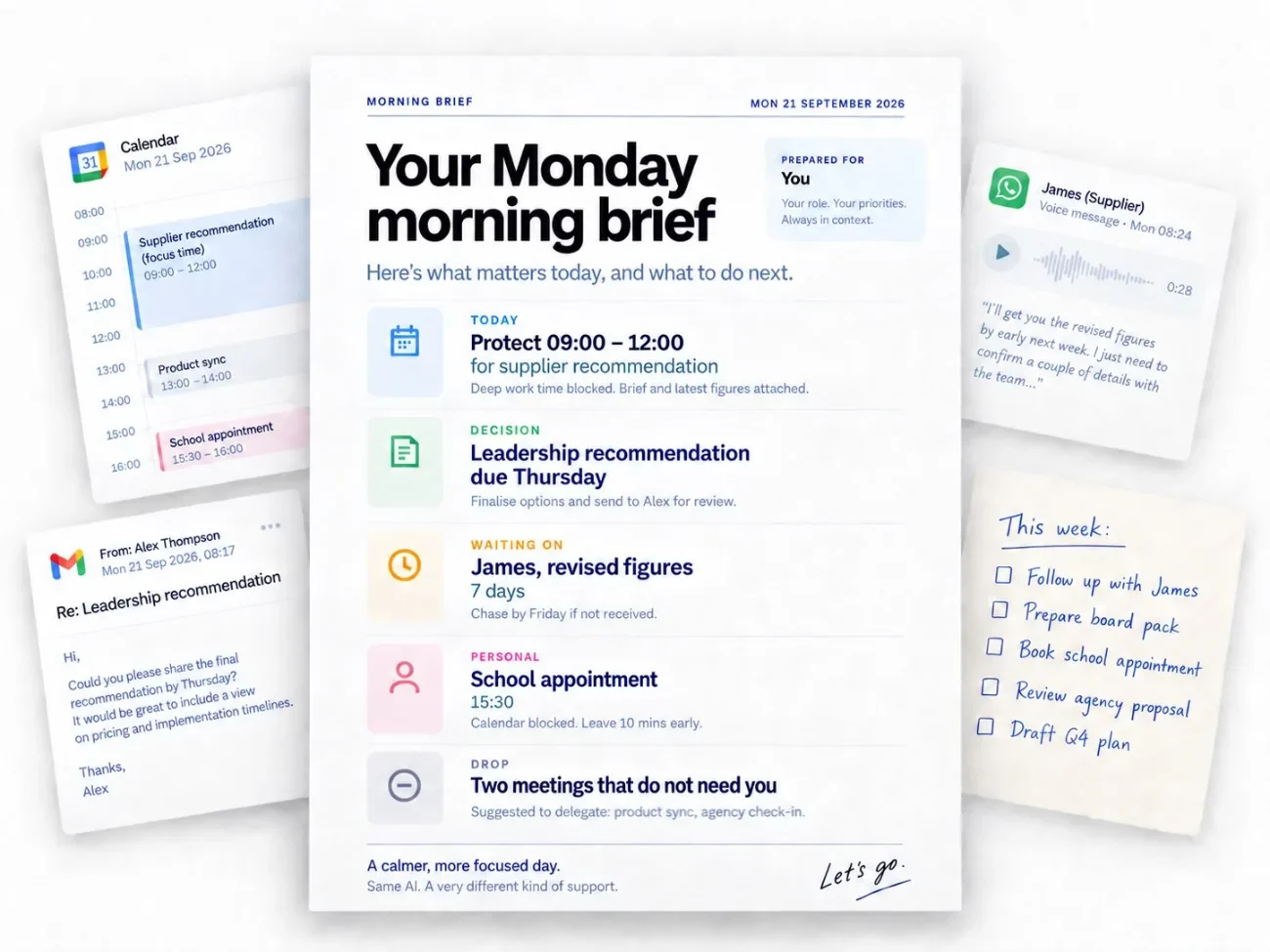
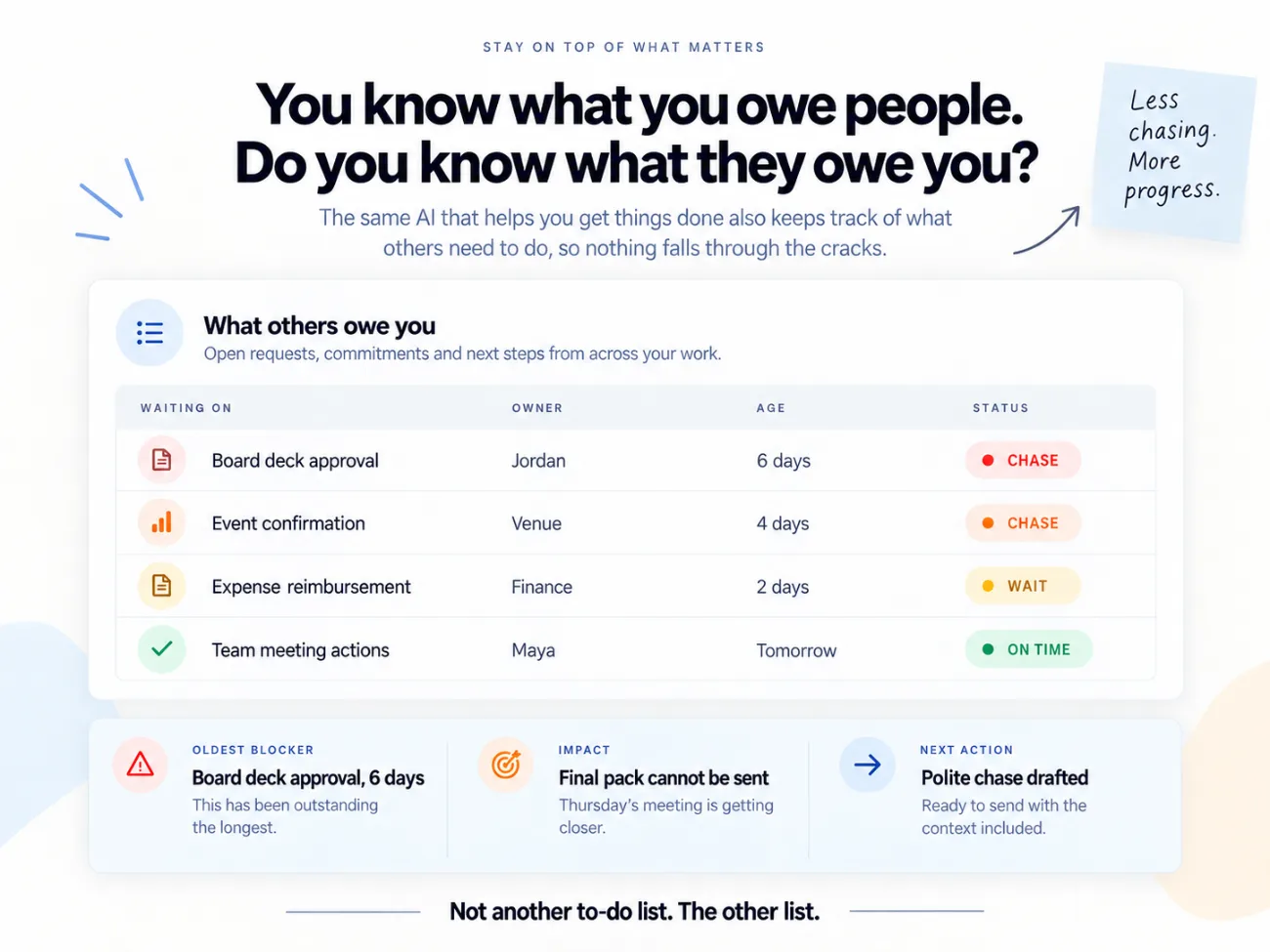
Then eleven working functions run on it: a daily brief, your diary, meetings, travel, comms in your voice, actions and waiting-on, projects, research and decisions, institutional memory, the weekly review, and automation. Every one of them reads the same Brief, which is why none of them sound generic.
It is not a work system with a personal section bolted on. The haircut you have rebooked twice, the school appointment, the present you need before Saturday and the train you cannot miss go in alongside the board papers and the supplier deadline, because that is how your week actually works. A tool that only understands your work commitments does not know you need to protect an hour to collect your kid from school.
Not a course. Not a prompt pack. One working system. Unit 00 takes thirty minutes. Two units on a Saturday morning, and you have a daily brief running on Monday.
WHY IT MATTERS
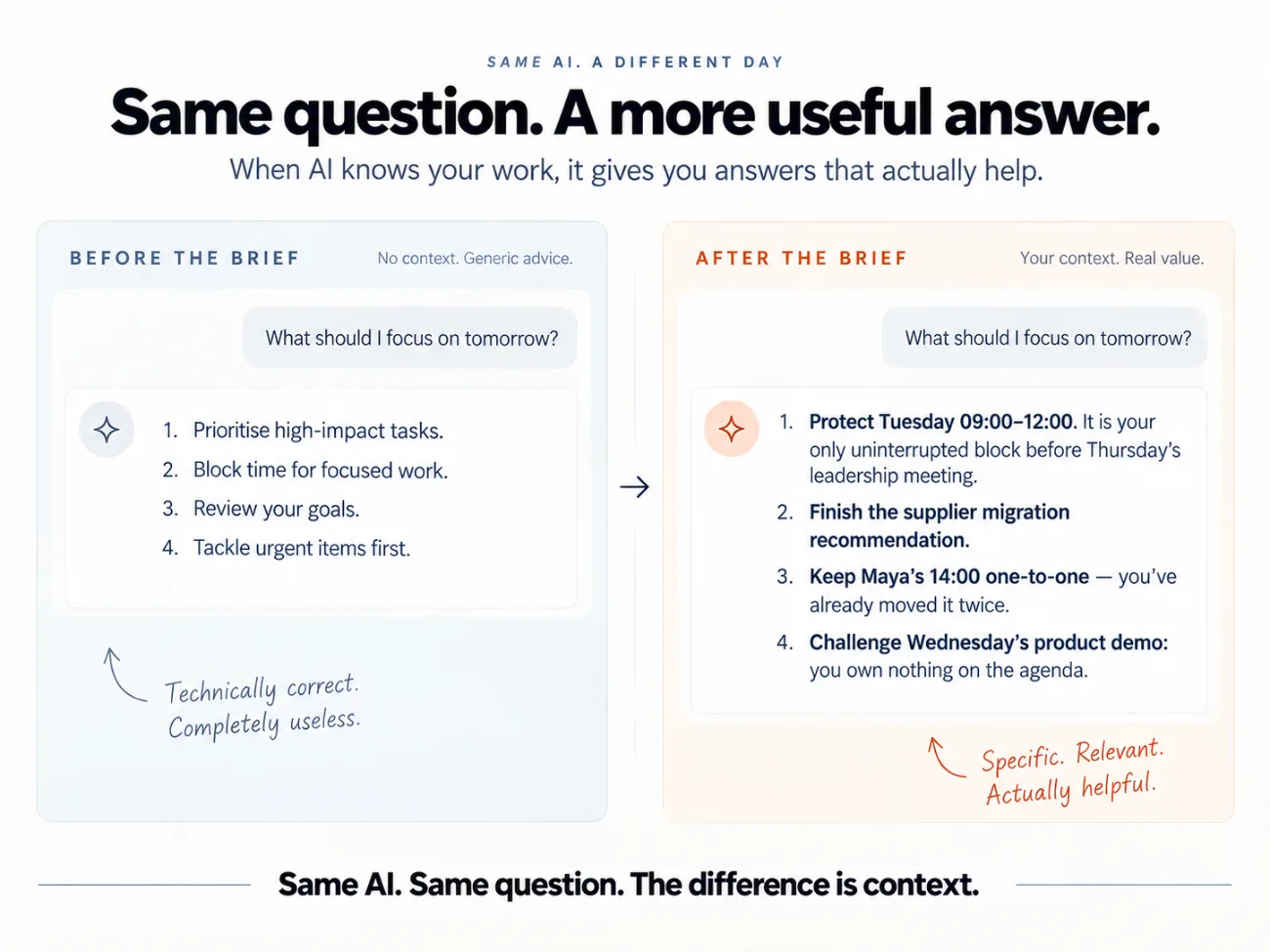
Ask it what you should focus on this week with nothing loaded, and this is roughly what comes back:
Start by identifying your highest-impact tasks. Block out focus time for deep work, and review your goals to make sure your daily priorities are aligned with your longer-term objectives.
Nothing wrong with that. Nothing in it either. It is true of everyone, which is another way of saying it is useful to no one.
Now the same question, with your Brief loaded:
The supplier recommendation has to be leadership-ready before Thursday, and Tuesday 09:00 to 12:00 is your only unbroken block before then. It is in your calendar but you have not protected it with anyone. Two meetings this week do not need you. And the Wednesday call has not produced a decision in six weeks.
That second answer is not a cleverer model. It is the same tool, reading a document you wrote once.
That document is what AI Chief of Staff builds.
WHAT CHANGES
ONE BRIEF. ELEVEN FUNCTIONS.
Unit 00 builds the Brief. Everything below runs on it.
WHAT YOU GET
The full system.
Twelve units, from Set Up through to Automate It, written to be worked through one sitting at a time rather than watched. Thirty to forty-five minutes each, including actually building the thing.
Your Chief of Staff Brief.
The document everything runs from, as a Google Doc template you copy and fill in as you go. Twelve numbered sections, your standing instructions, what it may do, and what it must never do.
The Desk.
Twenty-one copyable briefs on one page, from the Interview to the Automation Audit, for the day you only want the one you use weekly.
Twelve worked examples.
Every unit shows the work being done on a real week, including the part that came back wrong and what was said to fix it.
Twelve build checklists and tests.
Each unit ends with a tickable list of what you actually do, and a pass or fail test against something from your own week.
Setup for ChatGPT and Claude.
Dated setup panels in every unit, plus the connectors each function can use: calendar, email, file storage and your task tracker. Every unit has a screenshot fallback if your workplace blocks connectors.
The three standing rules.
Challenge me. Don’t flatter me. Evidence before confidence. Written into the Brief so it separates what it read from what it inferred, and never sends, spends or moves a meeting without you.
What not to feed it.
A plain list of what never goes into the AI. If your employer has its own AI policy, that always comes first.
Updates included.
Version 2.0, September 2026. When the tools move, the product is updated and you get the new version. Your access does not expire.
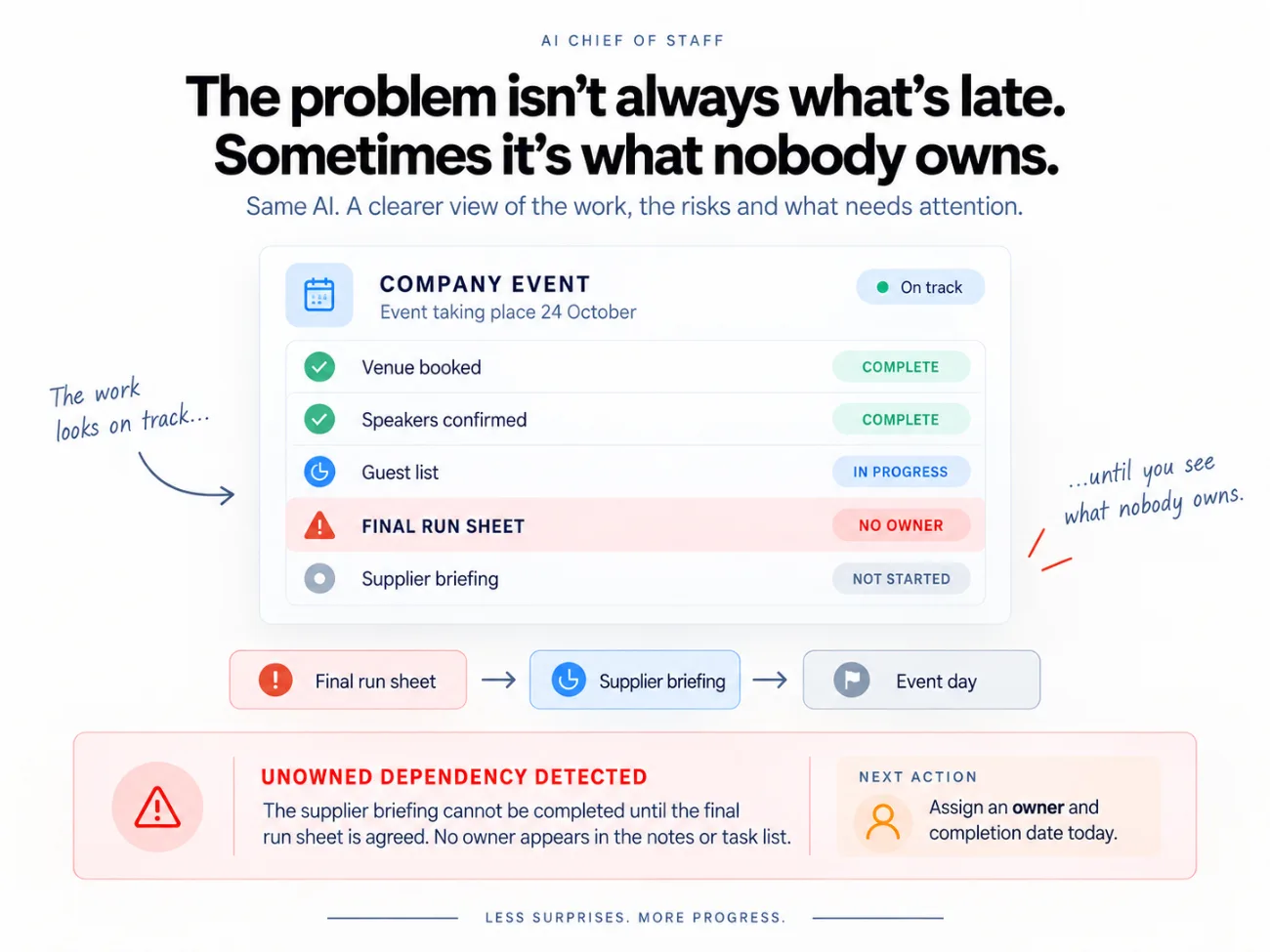
One document. Then everything else gets easier.
£33 · Instant access · Works in ChatGPT or Claude
HOW IT KNOWS THINGS
Five different things get confused constantly. They are not the same.
Most people live in 02, telling it everything from scratch every time. The whole product is about moving you into 01 and 04, so you are asking questions instead of supplying background.

HOW IT WORKS
Every unit is laid out the same way, so you always know where you are.
Before you start.
What to connect, what to tell it, and what to have open before you do anything.
What this looks like.
A worked example from start to finish, including the bit that came back wrong and what was said to fix it.
Adapt it to you.
The same workflow, three ways to change it, because the example is somebody else and you are not them.
Build this.
The tickable list. Each line names the thing you actually do.
Where this ends up.
Every output has a destination. None of them is the chat window.
Test it, Save it, Level it up.
Put it against something real from your week, make it permanent, then see what to try once the basics hold.
Two rules run through all of it.
Do not re-create context.
Give it the original rather than your summary of it. Calendar, screenshot it or connect it. Document or deck, upload it. Handwritten notes, photograph them. Your read on a situation, say it out loud. The reason is not speed, it is that your summary has already thrown away the detail that would have made the answer useful.
Push back on everything it gives you.
Every unit ends with you challenging the output. Where are you guessing, what did you leave out, where does this not sound like me. An AI that agrees with you is worse than useless when you are about to make a bad call. You are building a chief of staff, not a fan.

WHAT IS INSIDE
Unit 00 is the one that matters. Everything after it assumes you have done it.
00 // Set Up
01 // Daily Brief
02 // Diary
03 // Meetings
04 // Travel
05 // Comms
06 // Actions
07 // Projects
08 // Research & Decisions
09 // Institutional Memory
10 // Weekly Review
11 // Automate It
Extra // The Desk
Extra // Chief of Staff Brief
Extra // What Next
Extra // Updates
Extra // Support
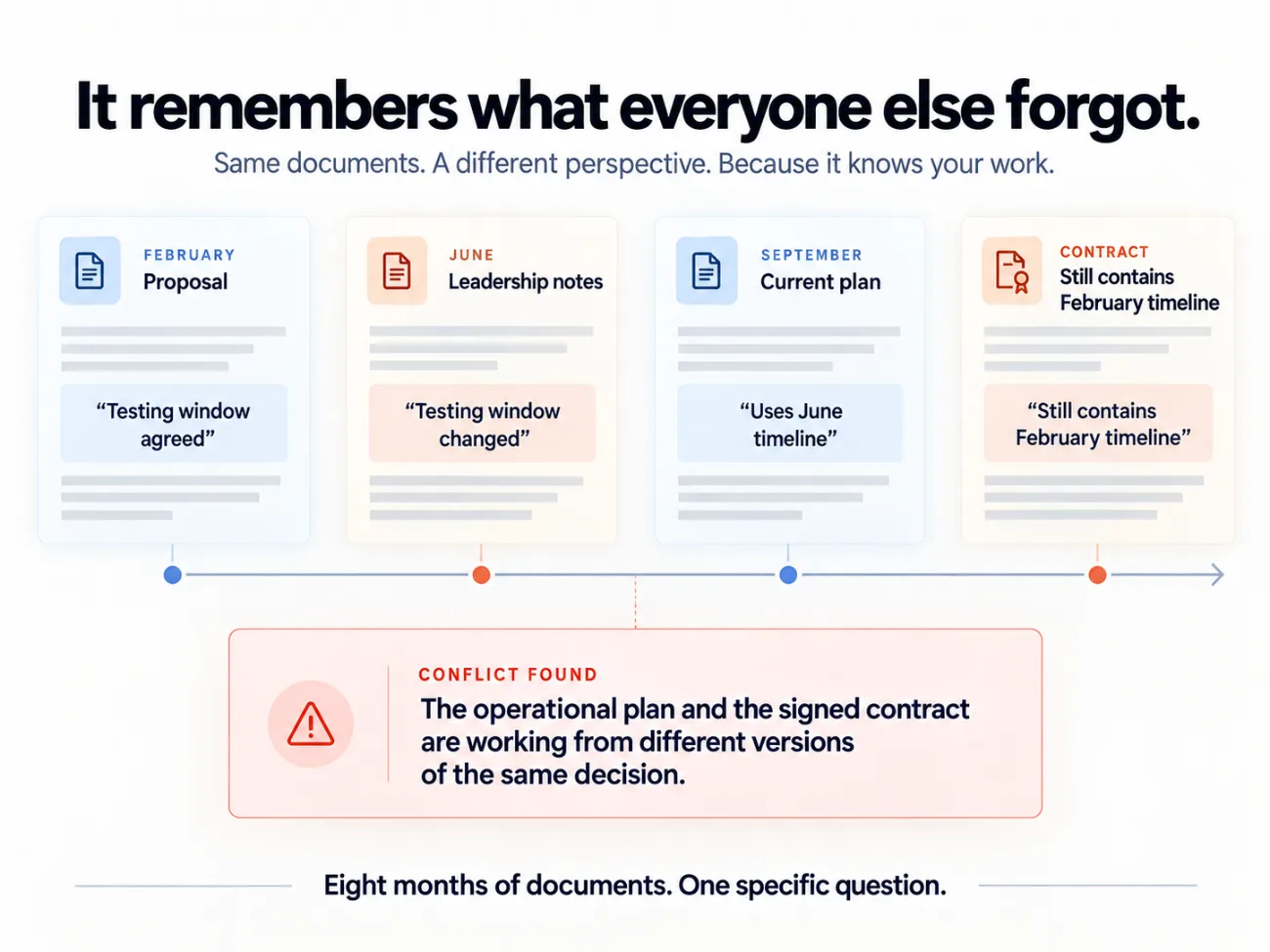
Twelve units. A Saturday morning to the first working piece.
£33 · Instant access · Works in ChatGPT or Claude
The job title matters less than the shape of the week.
Managers.
Projects, meetings, decisions, people and actions, most of which currently live in your head.
Founders and business owners.
Too much information in one place, and that place is you.
Project and operations people.
Dependencies, actions, suppliers and deadlines that move without telling you.
Freelancers and solo operators.
You do not have an assistant, an analyst, a researcher and a project coordinator. This covers pieces of all four.
Anyone already paying for ChatGPT or Claude.
If you are using it as a better search box, this is the gap between that and what it can actually do.
Every unit also has an adapt-it-to-you pass: if you do not manage anyone, if you work for yourself, if you write on behalf of someone else, if you are the most junior person in the room, if your meetings are with clients, or if your work runs in sprints, shoots, month ends or terms rather than weeks.
WHAT THIS IS NOT
It is not a list of clever things to ask ChatGPT. It is not a course you have to watch for six hours before anything changes. It is not a productivity system that replaces the one you already use.
It does not send, spend or move a meeting on your behalf. Everything drafts. Nothing sends.
You build one piece of working infrastructure, and then you use it. Unit 00 takes about thirty minutes. Unit 01 takes about thirty more, and after that you have a daily brief running on Monday morning. The guide tells you to use it for a week before you open Unit 02. Everything else is optional until you want it.
WHO MADE THIS

I’m Christina.
Fifteen years as an executive assistant and project management analyst, running the CEO office across banking, big tech and green energy. That is not diary management. It is holding the whole operation in view: what matters this week, who is waiting on what, which decisions are stuck, and which thing quietly needs handling before it becomes a problem.
I am also a mother, and I run my own business. The same system has to hold all of it. The work, the business, and the things at home that do not pause because a deadline moved.
This is that job, rebuilt so an AI can carry the context and handle the parts that do not need you.
BEFORE YOU BUY
It works in ChatGPT or Claude. Pick one and build it there. Every unit covers both, and the assets are plain text, so you can move across later if you change your mind.
Not Gemini or Copilot. Not because they are bad, but because this depends on project instructions that load automatically every time, and that is where those two fall short today.
A paid plan is strongly recommended. You can build parts of this on a free account: your Brief, the briefs and the Desk are plain text and work from day one. But usage limits, file handling and access to connected tools vary between plans and change regularly. Reading your live calendar, email or files, and running work on a schedule, depend on your tool and your plan. If you want to run the complete system as shown, expect to need a paid plan. Each unit tells you what it needs before you start.
Your phone. Most of the work in here is screenshots and voice notes, and your phone is better at both than your laptop.
These tools still get things wrong. They invent sources and figures that look convincing. Unit 08 builds checking into the research workflow for exactly that reason, and the standing rules make it separate what it read from what it inferred.
Check what your employer allows before you connect anything. Some organisations have an approved tool and a written policy. Some have said nothing, which is not the same as permission. START HERE includes a plain list of what never goes into the AI. If your employer has its own AI policy, that always comes first.
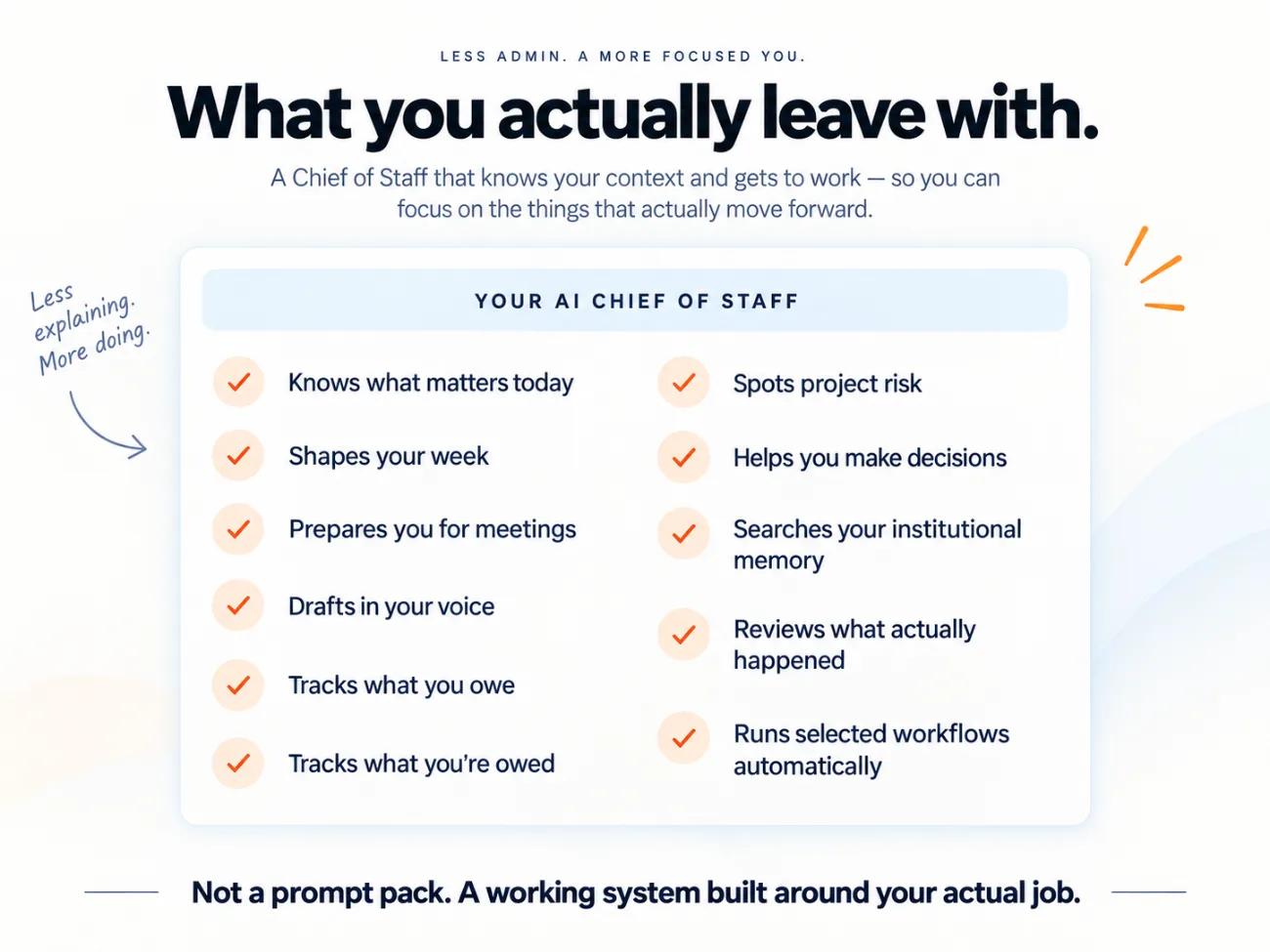
Two units on Saturday morning, and Monday starts differently
£33 · Instant access · Works in ChatGPT or Claude · Yours to keep, updates included